
Connected processes
When orders, deliveries, invoices and payments link to each other, follow the whole chain and time it end to end.
Use this when one piece of work turns into several records, such as an order that becomes deliveries, invoices and payments.
Real work rarely stays on one record. An order becomes a delivery, an invoice and a payment. When your data links these records, glasstarn can show them together. See Linked records for how to bring this data in.
Follow
Section titled “Follow”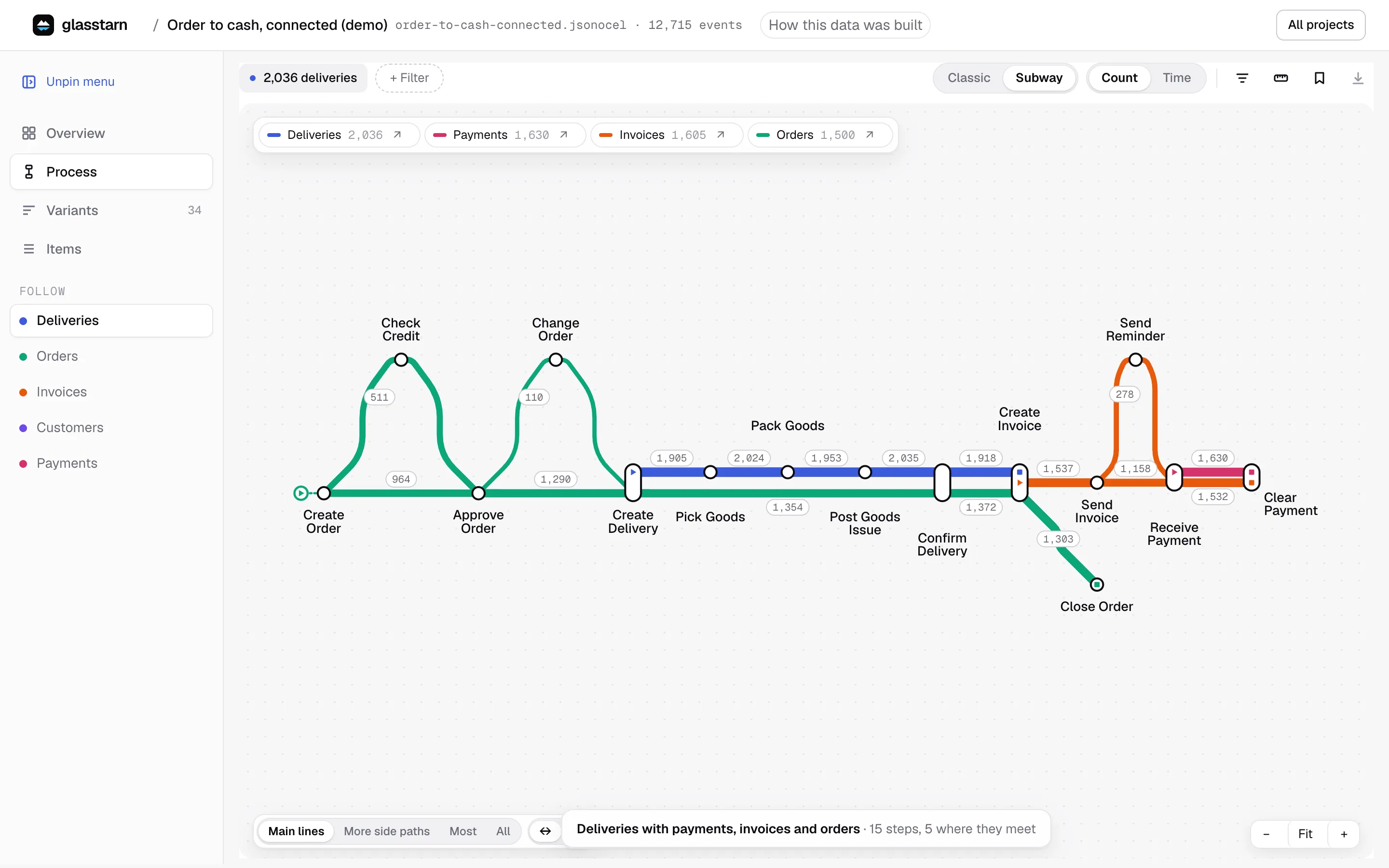
The Follow list in the left menu shows every kind of record in your data, such as Orders, Invoices, Shipments and Payments. Pick one to look at the process from its point of view:
- Following orders shows each order’s steps, and the main steps of its linked records.
- Following invoices shows the invoice’s life, including steps that happened to its order.
- Following customers shows everything that happened across all of a customer’s orders.
The labels on every page change to match. When you change what you follow, filters are cleared, because a filter on orders does not mean the same thing for customers.
The subway map
Section titled “The subway map”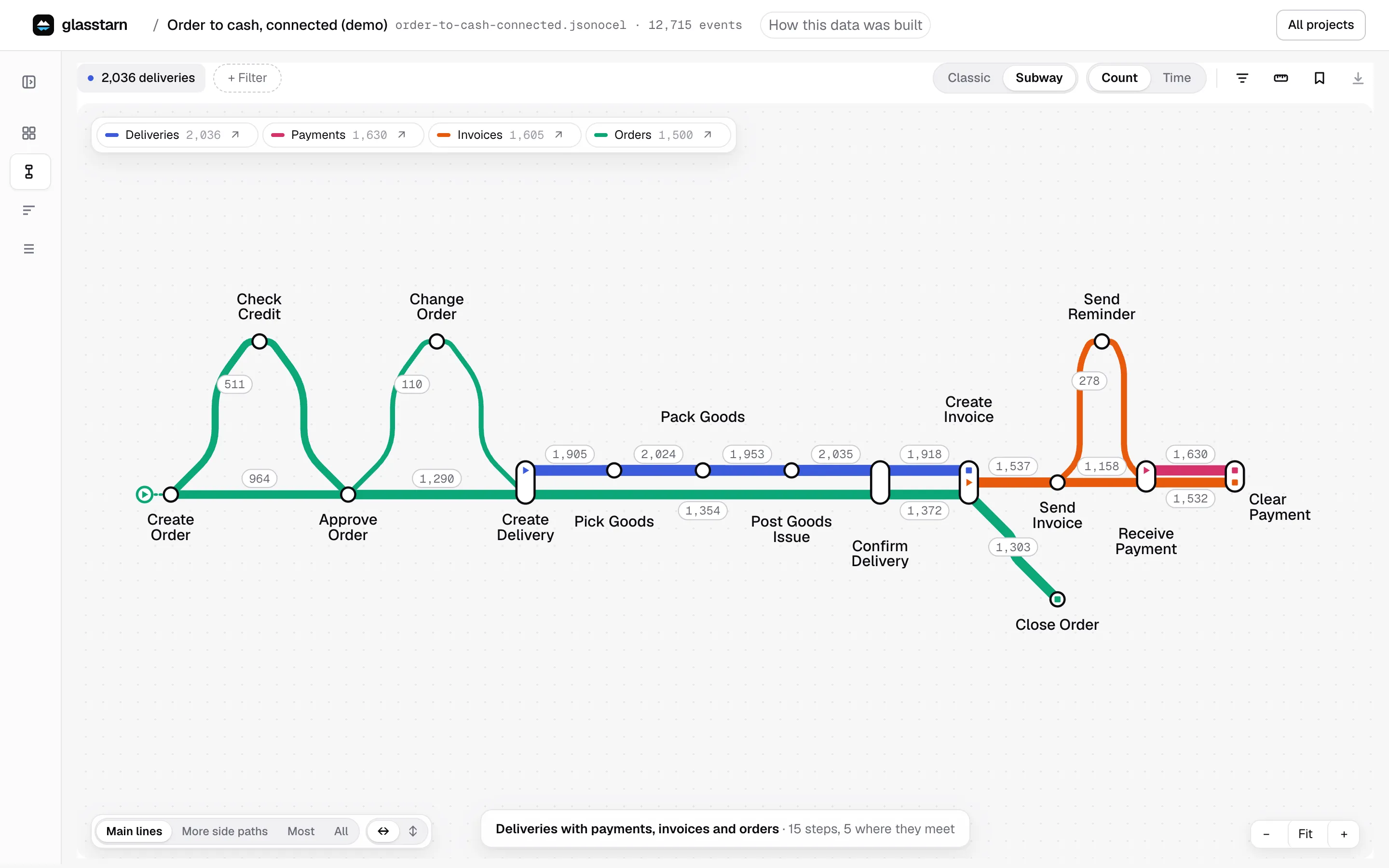
Subway, on the Process page, draws each kind of record as its own coloured line, and shows where they meet. It is the quickest way to see the whole order-to-cash or purchase-to-pay chain on one screen. It exists only for linked records: a project with one kind of item has the usual map.
How to read it:
- One line per kind of record, drawn through that kind’s most common route. Orders, deliveries, invoices and payments each get their own colour.
- Stops are steps. A stop where two lines meet is a step they share, such as a delivery that ships an order.
- Short spurs off a line are common side steps, such as a reminder or a return.
- Pick a line to make Variants and Items follow that kind of record, with a chip to take it off.
- Show more adds rarer side paths, and the last level draws skips and loops as faint dotted arcs.
Try it on the order to cash, connected demo: ask your agent to “set up the connected demo”.
Timing across records
Section titled “Timing across records”Use Measure → Linked to time from a step on one record to a step on another. For example, from Receive Customer Order on the order to Receive Payment on its invoice. See Measure.
A linked time may include other work in between. It measures the gap, not one direct hand-off.
Things to know
Section titled “Things to know”- One order can have many invoices, and one invoice can cover many orders. glasstarn counts each link once and tells you how it counted.
- A missing next record can mean the work is still open, or that the record lives in a system you did not export.
- On the Overview, the most important milestones across records show as findings, with the number of linked records they are based on.