
Variants
A variant is one exact route through the process. See which routes are common, which are rare, and what makes them different.
Use this page when you wonder: do most items follow the same route, or does everyone do it their own way?
Two invoices can go through the same steps in a different order, or skip a step, or repeat one. Each distinct sequence of steps is a variant.
The list
Section titled “The list”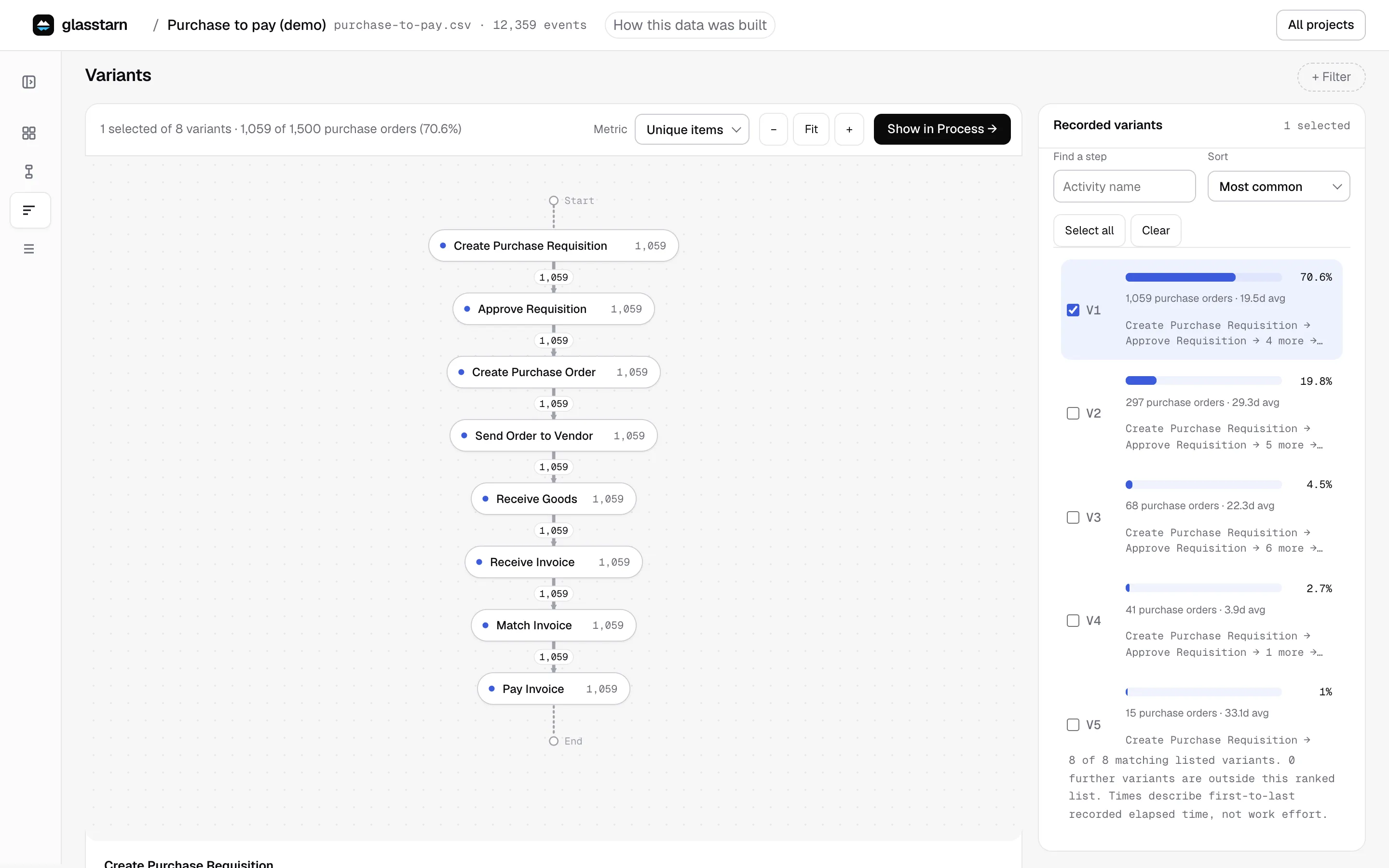
Variants lists every route, most common first. For each one you see:
- how many work items took it, and their share of the total
- how long it typically takes
- the steps, in order
The first few variants often cover most of the work. The rest are the long tail of exceptions. That tail is usually where the time and rework hide.
Looking at one variant
Section titled “Looking at one variant”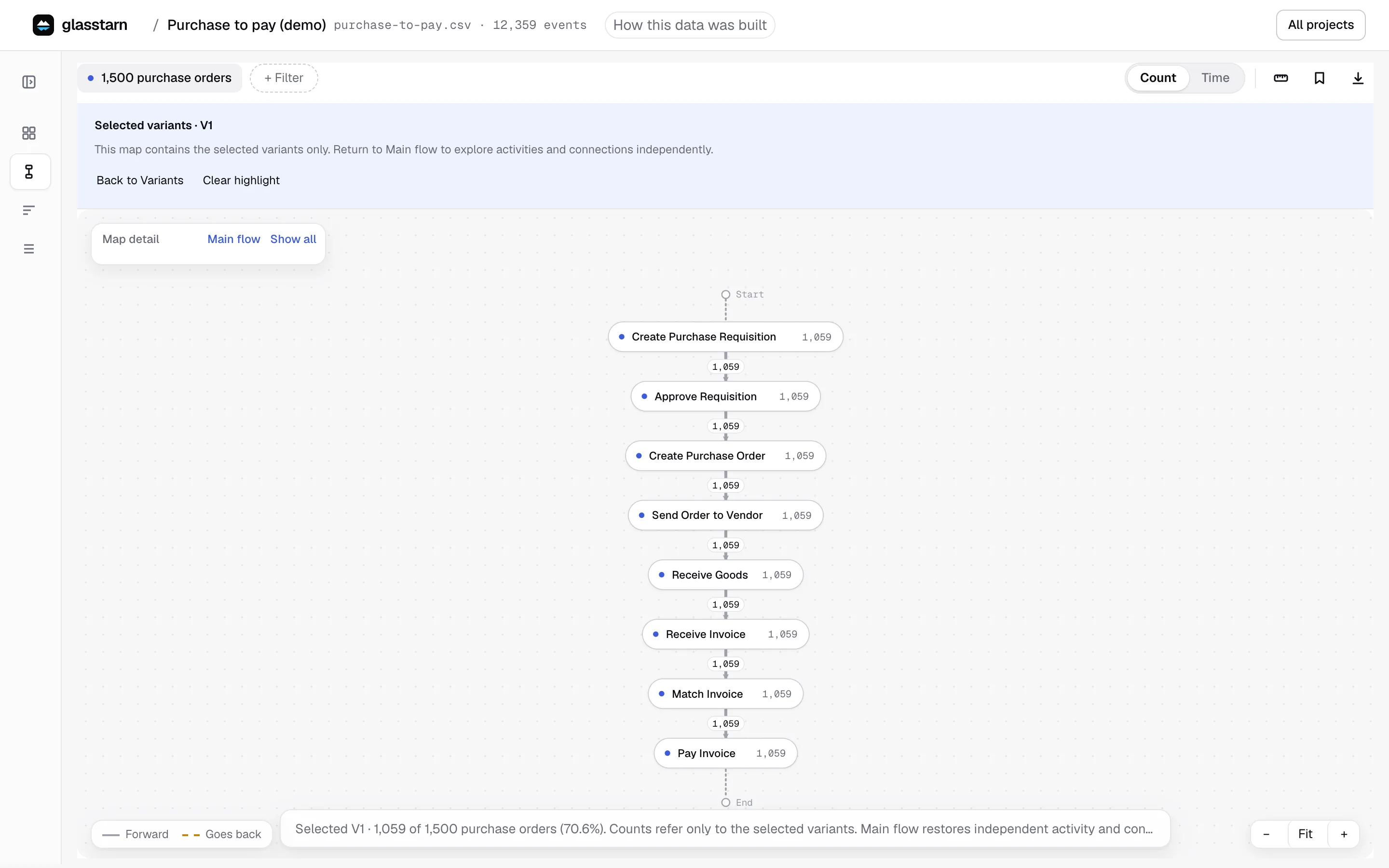
Select a variant to draw only that route. Every item on it is counted, so the map and the numbers match exactly. Select all and Clear pick every route or none, and Sort orders the list by most common, slowest or fastest. Show in Process → opens the selected routes on the process map.
Select several variants to see them combined on one map.
Compared with the usual route
Section titled “Compared with the usual route”When you open a single work item, glasstarn tells you how it differs from the usual route: a step it skipped, a step it repeated, or a step it added. Follows the usual route exactly means nothing was different.
Useful questions to ask your agent
Section titled “Useful questions to ask your agent”- “What is the difference between the top variant and the second one?”
- “Which variants include Change Price, and how much slower are they?”
- “Show me the three main variants.” The open page moves to Variants with a Top 3 variants filter you can remove.
- “Show me the variants that take longer than 30 days.”